How it works (and why it can't be phished)
When you register a key with a site, the key generates a fresh keypair just for that site and hands over only the public half. To log in, the site sends a challenge; the key signs it — but only after checking that the request really came from the origin it registered with. A look-alike phishing domain produces a different origin, so the key simply won't sign. There's no shared secret to steal, type into a fake page, or leak in a breach.
The pieces: WebAuthn is the browser ↔ website API, CTAP is the browser ↔ key protocol, and FIDO2 is the two together. U2F is the older second-factor-only predecessor.
Second factor vs. passkey
The same key can play two roles:
- Second factor — you still enter a password, and the key proves possession as the second step. Big upgrade over SMS/app codes because it's phishing-resistant.
- Passkey (discoverable credential) — the key is the login. No password at all; the key stores enough to identify your account by itself.
A passkey stored on a hardware key is a device-bound passkey: it stays on the fob and doesn't sync. The phones-and-cloud passkeys you've seen sync across your devices for convenience. Same WebAuthn standard — different storage and recovery trade-offs. A key holds a limited number of discoverable credentials, so it's normal to mix passkeys for a few high-value accounts with second-factor use elsewhere.
Register two keys on every account that matters, and save the site's recovery codes offline. A passkey is wonderful right up until you're at a login box without the key.
The FIDO2 PIN
Many operations (especially passkeys) require a PIN you set on the key. It's worth being clear about what it is and isn't:
- It's checked by the key itself, offline — never sent to a website. It authorizes local use of the key.
- The key enforces a retry limit. After a handful of wrong attempts it locks for the session, and after the hard limit (often ~8) it blocks the FIDO function until reset — so even a short numeric PIN resists brute force.
- It is not a recovery secret. Forgetting it means resetting the FIDO applet, which erases its credentials. See resetting →
- keyroost supports both PIN protocol v1 and v2.
With keyroost, PINs come from --pin-stdin or --pin-env that
you control — never as a plain argument, and the tool never prints or stores them.
What keyroost does with FIDO2
Enumerate authenticators and read authenticatorGetInfo; check PIN
retries; set / change the PIN and unlock with it; list, inspect, and
delete resident credentials; enrol, rename and delete fingerprints; set CTAP 2.1
policy (always-require-UV, minimum PIN length, forced PIN change, enterprise
attestation); read and manage the key's large-blob store and extract
a stored OpenSSH certificate; and reset a key. Read-only inspection
needs no PIN.
keyroost reaches FIDO2 keys over USB-HID and over NFC / PC-SC readers — tap an NFC key to a contactless reader and the same operations work, so a key with no USB plug (or one you'd rather not insert) can still be inspected and managed.
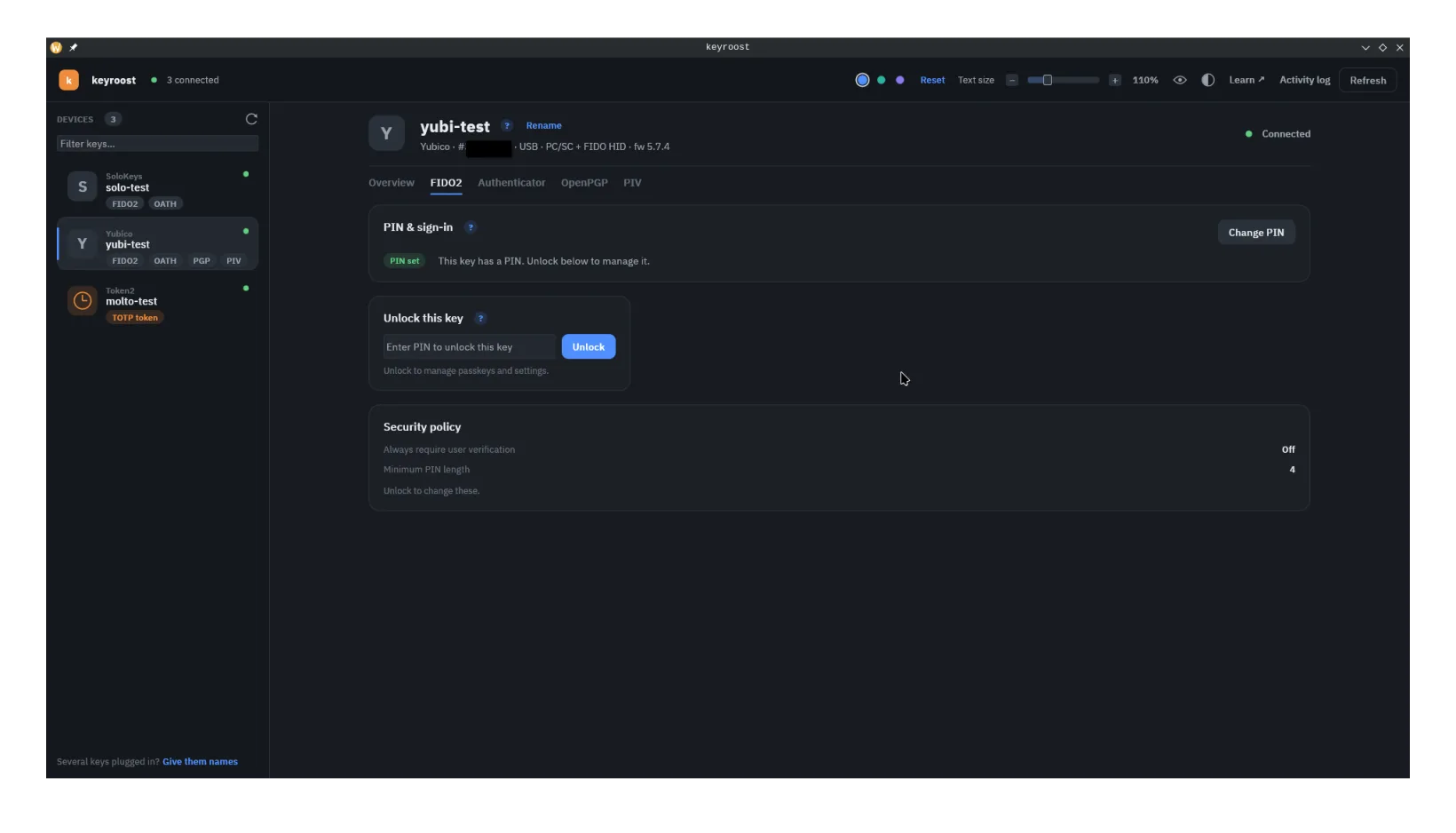
In the app, the FIDO2 tab gates everything behind one unlock. Once
you enter the PIN, capability-gated sub-view tabs appear for whatever the key
advertises: Passkeys (resident credentials),
Fingerprints on biometric keys
(see Fingerprints), and Storage for
the key's large-blob area (see Storage) — a key that
doesn't advertise one of those simply gets no tab for it.
Settings is always present on a CTAP2 key: it carries the FIDO2
reset (a baseline CTAP2 command) as well as the security-policy controls such as
always-require-UV and minimum PIN length, which do gate on the key advertising
authnrCfg (see Settings). Locking returns to
the gate and clears the session for all of them.
keyroostctl fido info
keyroostctl fido pin-retries
keyroostctl fido creds-list --pin-stdin # PIN read from stdin, never argvWindows reserves direct FIDO access for elevated processes, so managing a key needs administrator rights. keyroost detects an unprivileged session and offers to open Windows' built-in security-key settings or relaunch itself as administrator.
A credential listing reveals which services you have accounts with — treat it as private and don't run it speculatively.